Sweet Font: Playful, Practical, and Perfect for Creative Projects
When you’re designing something that needs to feel joyful, approachable, or full of charm—like a birthday invitation, a classroom poster, or a whimsical children’s book cover—the right font can do more than just spell out words. It sets the mood, invites attention, and quietly shapes how your audience feels. Sweet is one such font: a versatile, expressive typeface designed with playfulness at its core, yet built for real-world use across digital and physical media.
What Makes Sweet Stand Out?
Sweet isn’t just another decorative script—it’s a carefully balanced blend of personality and practicality. Its letterforms feature soft curves, gentle bounce, and subtle irregularities that mimic hand-drawn charm without sacrificing legibility. Unlike overly ornate fonts that blur at small sizes, Sweet remains clear and friendly even in body text for early readers or on tiny product tags.
The font family comes in two distinct versions: black (monochrome) and color. Each serves different creative workflows—and knowing which to choose saves time, frustration, and redesigns.
The Black Version: Cutting-Ready & Widely Compatible
The black version of Sweet is delivered as standard OTF or TTF files—fully compatible with cutting machines like Cricut Design Space, Silhouette Studio (basic mode), and most web-based design tools. That means if you’re crafting vinyl decals, iron-on transfers, or layered paper crafts, this version cuts cleanly, scales predictably, and imports without errors.
It’s also ideal for print-on-demand projects—think custom greeting cards, sticker sheets, or educational flashcards—where crisp outlines and consistent spacing matter more than gradient fills or texture.
The Color Version: Rich Visuals, Specific Software Needs
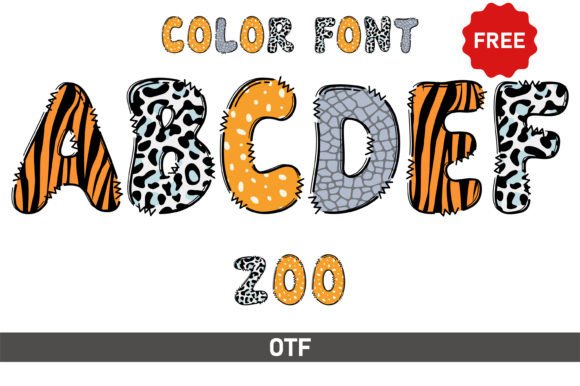
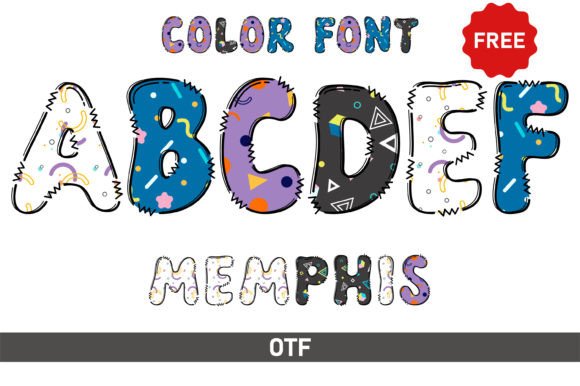
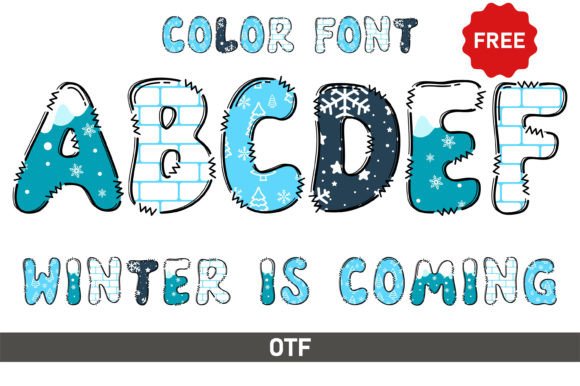
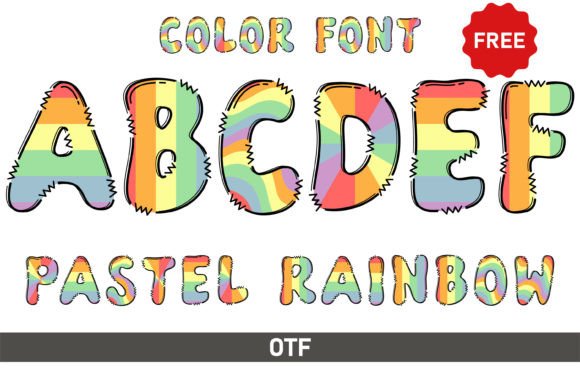
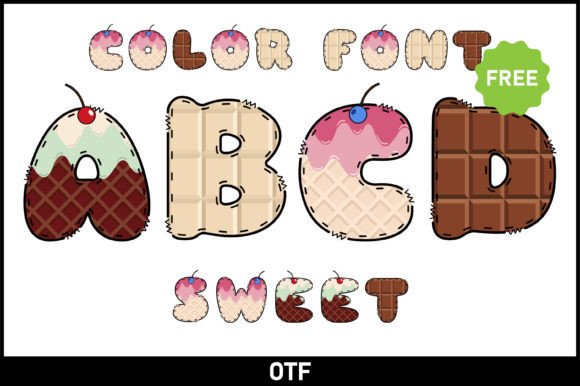
The color version of Sweet adds dimension: multicolored glyphs, subtle shadows, and playful gradients baked directly into each character. This version shines in digital illustrations, social media graphics, or branded merchandise where visual impact is key.
However, it’s important to know its limits. The color version only works reliably in programs that support OpenType-SVG or COLR/CPAL color-font technologies—namely Adobe Photoshop, Illustrator, Silhouette Studio (with Designer Edition), and Inkscape. It will not function in Cricut Design Space, nor in basic word processors or older design apps.
If you try loading the color OTF/TTF into Cricut, you’ll likely see missing characters, blank boxes, or fallback system fonts instead. That’s not a bug—it’s a technical constraint tied to how color fonts render. For best results, always verify software compatibility before purchasing or installing.
Where Does Sweet Truly Shine?
Sweet excels where warmth, clarity, and creativity intersect. Here are real-world uses where designers, educators, and small business owners consistently find value:
- Children’s Books & Early Learning Materials: Its rounded shapes and open counters help emerging readers distinguish letters easily—making it great for phonics charts, sight-word posters, and illustrated storybooks.
- Greeting Cards & Invitations: Whether it’s a baby shower, birthday party, or holiday card, Sweet adds instant personality without looking childish or dated.
- Educational Printables: Teachers use Sweet for editable worksheets, classroom labels, and behavior charts—especially when printing on colored paper or laminating for durability.
- Small-Business Branding: Cafés, boutiques, and craft studios often pair Sweet with a clean sans-serif for logos, packaging, or social bios—creating contrast that feels both professional and personable.
- Craft Projects & DIY Signs: With the black version, users cut precise letters from vinyl, wood, or cardstock—ideal for nursery decor, wedding signage, or seasonal window displays.
Who Benefits Most From Using Sweet?
You don’t need to be a professional designer to get great results with Sweet. In fact, its biggest fans include:
- Parents & Educators: Creating engaging, age-appropriate learning tools without design experience.
- Small Business Owners: Building cohesive, memorable branding on a budget—especially those selling handmade goods or local services.
- Crafters & Makers: Designing custom signs, apparel, or home décor using accessible tools like Cricut or Silhouette.
- Content Creators: Adding visual flair to Instagram carousels, Pinterest pins, or YouTube thumbnails—without relying on stock graphics.
- Freelance Designers: Offering clients a distinctive, on-trend option for branding refreshes or campaign assets.
Strengths Worth Noting
What makes Sweet especially useful isn’t just how it looks—but how it behaves:
- Legibility First: Even at 14pt, words remain readable—unlike many “fun” fonts that sacrifice clarity for flair.
- File Flexibility: Comes with both OTF and TTF formats, ensuring broad OS and app support.
- Scalability: Holds up beautifully whether scaled down to 8pt for footnotes or enlarged to 200pt for wall art.
- Character Set: Includes standard Latin characters, numerals, punctuation, and common accented letters—covering most English-language needs out of the box.
Things to Keep in Mind
No font fits every scenario—and Sweet is no exception. Consider these practical notes before diving in:
- Not ideal for long-form text: While highly legible, its expressive nature makes it less suited for novels, reports, or dense web articles.
- Color version requires setup: If you're new to color fonts, plan time to explore tutorials—or lean on the black version until you're comfortable.
- Licensing matters: Always check the license terms—some versions allow personal use only, while others include commercial rights for merch, digital products, or client work.
- Pairing helps: Sweet pairs beautifully with neutral sans-serifs (like Montserrat or Inter) or warm serifs (like Playfair Display)—giving contrast without competition.
Getting Started With Sweet: A Quick Decision Guide
Ask yourself these questions to determine if Sweet fits your project:
- Is my goal to evoke joy, warmth, or imagination? → Yes? Sweet is a strong candidate.
- Will this be cut with a machine like Cricut or Silhouette? → Choose the black version.
- Am I creating digital-only graphics in Photoshop or Illustrator? → The color version unlocks extra visual depth.
- Do I need to support multiple languages or special symbols? → Review the glyph set first—some variants may lack extended Unicode coverage.
- Is this for a client or resale product? → Confirm commercial licensing applies before finalizing.
For deeper technical insight—including how to troubleshoot missing glyphs or convert color fonts for broader use—our Ultimate Font Guide walks through step-by-step workflows, compatibility charts, and common pitfalls.
Final Thought: Sweet Is More Than a Font—It’s a Tone Setter
In a world saturated with generic templates and AI-generated visuals, choosing a font like Sweet signals intention. It says, “This was made with care. This is meant to delight.” Whether you’re handwriting a note to a student, launching a new product line, or designing your first craft fair banner, Sweet offers a rare combination: artistic spirit backed by real-world functionality.
It won’t solve every design challenge—but when the moment calls for lightness, authenticity, and quiet charm, Sweet is often the perfect place to begin.